
Complete Source of Laptop Chargers

Skip to Main Content »

Replacement HP Pavilion DV6 AC Adapter 90Watt 19V 4.74A

Replacement HP Pavilion DV6 AC Adapter 90Watt 19V 4.74A

Availability: In stock

$17.99
OR

Quick Overview

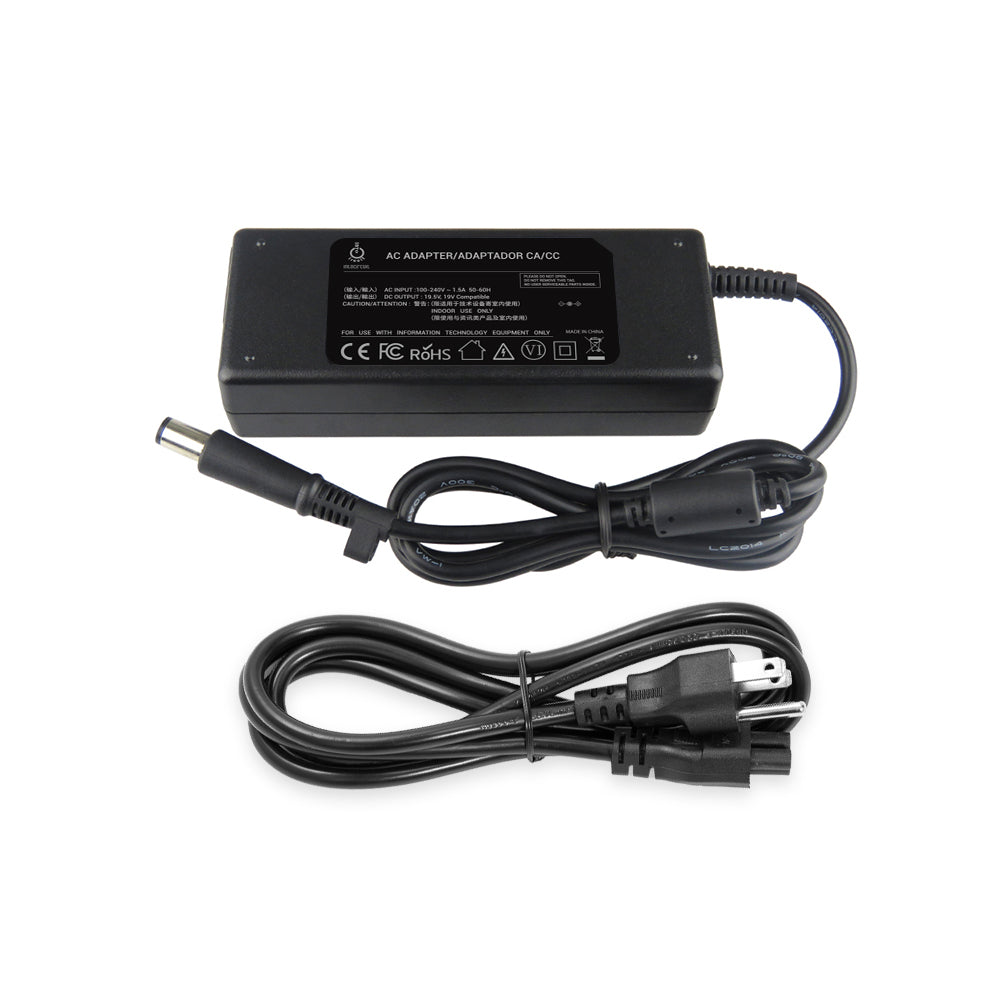
Replacement HP Pavilion DV6 Series Laptop 90Watt Smart AC Adapter 19V 4.74A

Description:

New Replacement HP Pavilion DV6 Series Laptop AC Adapter 90Watt 19V 4.74A with 7.4x5.0mmB Smart Plug, 3-Prong Cord included. Works for HP DV6 Series Notebook PC and more. OEM Pavilion DV6 Battery Charger in Stock and Ready to Ship.

Specification:

Replacement HP Pavilion DV6 Series Laptop AC Adapter 19V 4.74A

Manufacturer: 3rd Party

Input: AC100-240V (worldwide use)
Output: DC19V 4.74A
Power: 90W Max

Outlet: 3-Prong

DC Connecter (Barrel) size:  
    Internal Diameter: 5.0mm
    External Diameter: 7.4mm
    With central smart-pin inside

Attention!  Please make sure the part will match your laptop. If there is no central smart-pin in the connector of your original AC Adapter, please stop bidding this item.

Item Includes: AC Adapter and Power Cord.

Brand New Replacement Product, works as genuine parts, 100% OEM Compatible!!

Full 12 months warranty!!

Compatible Part Number:

Compatible Model:

HP Pavilion dv6 Entertainment Notebook PC:
dv6, dv6-1000, dv6-2000, dv6-3000, dv6-3243cl, dv6-6135dx,
Plus Many More!

Additional Information:

Enjoy added flexibility and convenience with an extra AC adapter for your high-performance notebook PC, whether you are stationed in your home office or traveling the world. Leave one adapter at your desk and keep one in your carrying case for quick plug-in. Recharge your battery whether your notebook is on or off when attached to an electrical outlet.


About the AC Adapter
1. The HP Home & Home Office Store will accept returns or exchanges for this product up to 30 days after delivery.
2. Mate with interchangeable cords for worldwide operations.
3. To avoid overheating the AC adapter when powering the computer or charging the battery, use the AC adapter in a ventilated area, such as on a desktop or on the floor. Do not use the AC adapter in a poorly ventilated environment, such as inside a carrying case.

Customer Reviews

hp replacement charger Review by Amanda Hentschel 2012-03-29
Quality
Price
Value
This charger does what it is supposed to do I keep it at work on my desk. For as cheap as they are you can't go wrong. the cord is about a foot shorter than the other one I use, granted the other one I use cost me three times as much as this one.

A little short..., Review by Esther Green 2012-01-16
Quality
Price
Value
I really enjoy this charger, especially the little green light on the power converter. The light lets me know where the problem in the adapter is if it stops working, whether or not the problem is that the charger is not receiving power from the outlet or if the cord has a short closer to where it plugs into the laptop. My only qualm with the product is that the cord is shorter than my previous cord. Other than that, it's a great product.

Good Review by Christy Wilson 2011-09-07
Quality
Price
Value
So far its working for me. There hasn't been any problems. It charges my computer.

Good Review by Bryan Ryder 2011-03-03
Quality
Price
Value
The website was super helpful in making sure I got the correct charger for my hp pavilion laptop. It shipped even faster than what I paid for and it works perfectly.
Great purchase!

Great Review by Ken 2011-02-16
Quality
Price
Value
Excellent product! Works flawlessly, and is much cheaper than replacement from HP. The charger arrived ahead of the estimated delivery date. I am a very pleased customer!

Good Review by Tayler 2011-01-25
Quality
Price
Value
I received it 5 days after i ordered it, standard post shipping. It's worked perfectly so far, I'm just worried about how hot it gets. Overall, it's worth it if your other charger broke or you need a spare.

Good Review by MB 2011-01-06
Quality
Price
Value
Don't pay way over priced listings for this wall power adapter from HP. Great replacement & price. Good quality.

Product Tags

Use spaces to separate tags. Use single quotes (') for phrases.